
Targeting and Excluding Sites and Zones
When creating a campaign, you can target or exclude sites and ad zones in two different ways.
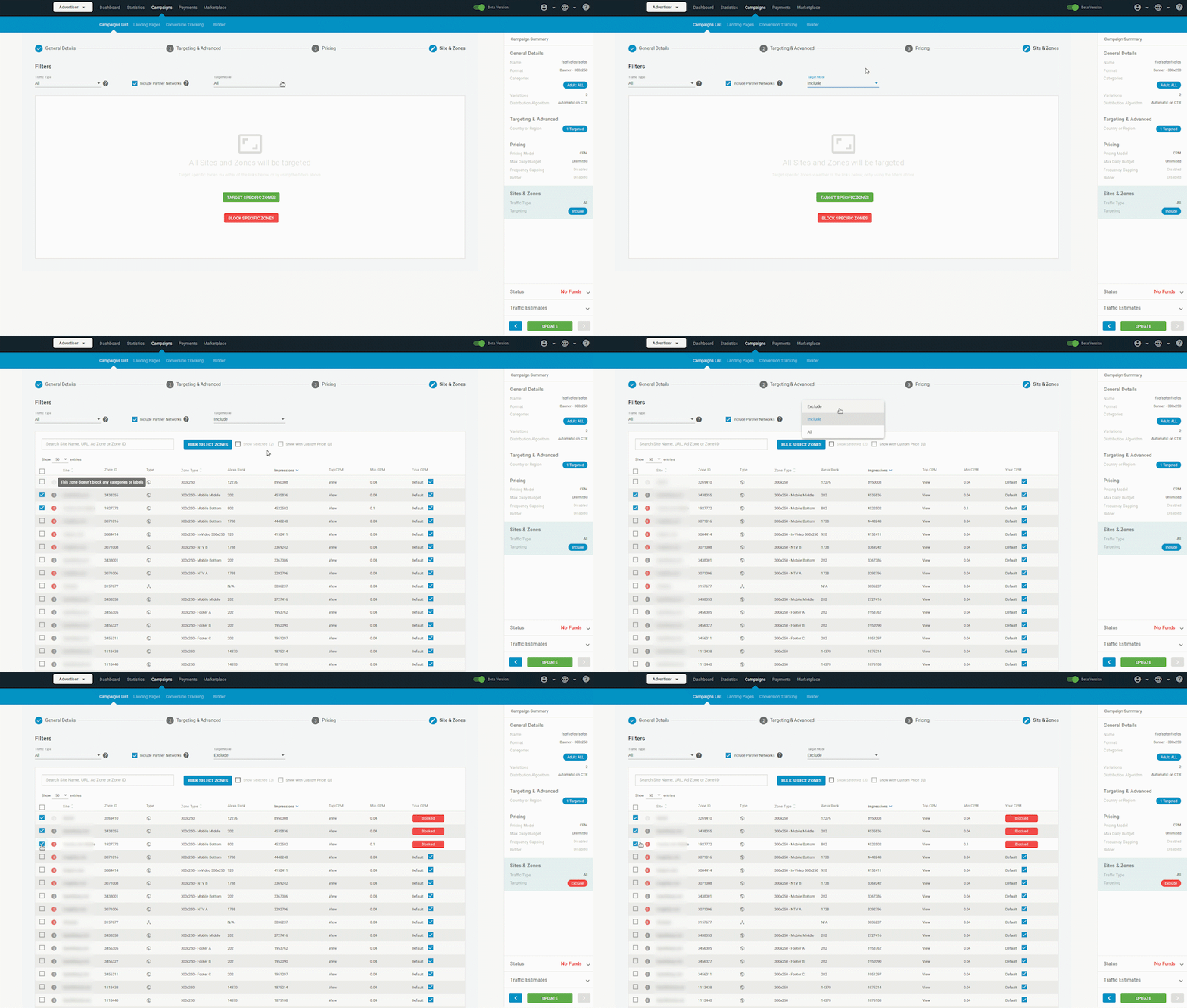
1. In the Sites & Zones tab (Step 4 of creating a campaign)
- In the Sites & Zones tab, click on the Target Mode drop-down and select Include or Exclude to target or exclude zones.
- Type the name of a domain, ad zone or zone ID into the search bar. Tick the checkbox beside items in the list to Include or Exclude them.
2. In the Targeting & Advanced tab (Step 2 of Creating a Campaign)
- In the Targeting & Advanced tab, click on Show Advanced Targeting Options.
- Click on Domains.
- To target a domain, enter its URL in to the Targeted Domains field. Leave out the https:// part from the beginning.
- To exclude a domain, enter its URL into the Blocked Domains field in the same way.

