Adding a Site
Creating a site
To create a site, navigate to the Sites & Zones tab.
Click the New Site button.
Note: The maximum number of sites which you can add to an account is 50.

Entering the details for the site
To finish creating the site, you need to complete each of the fields in the New Site box that appears.
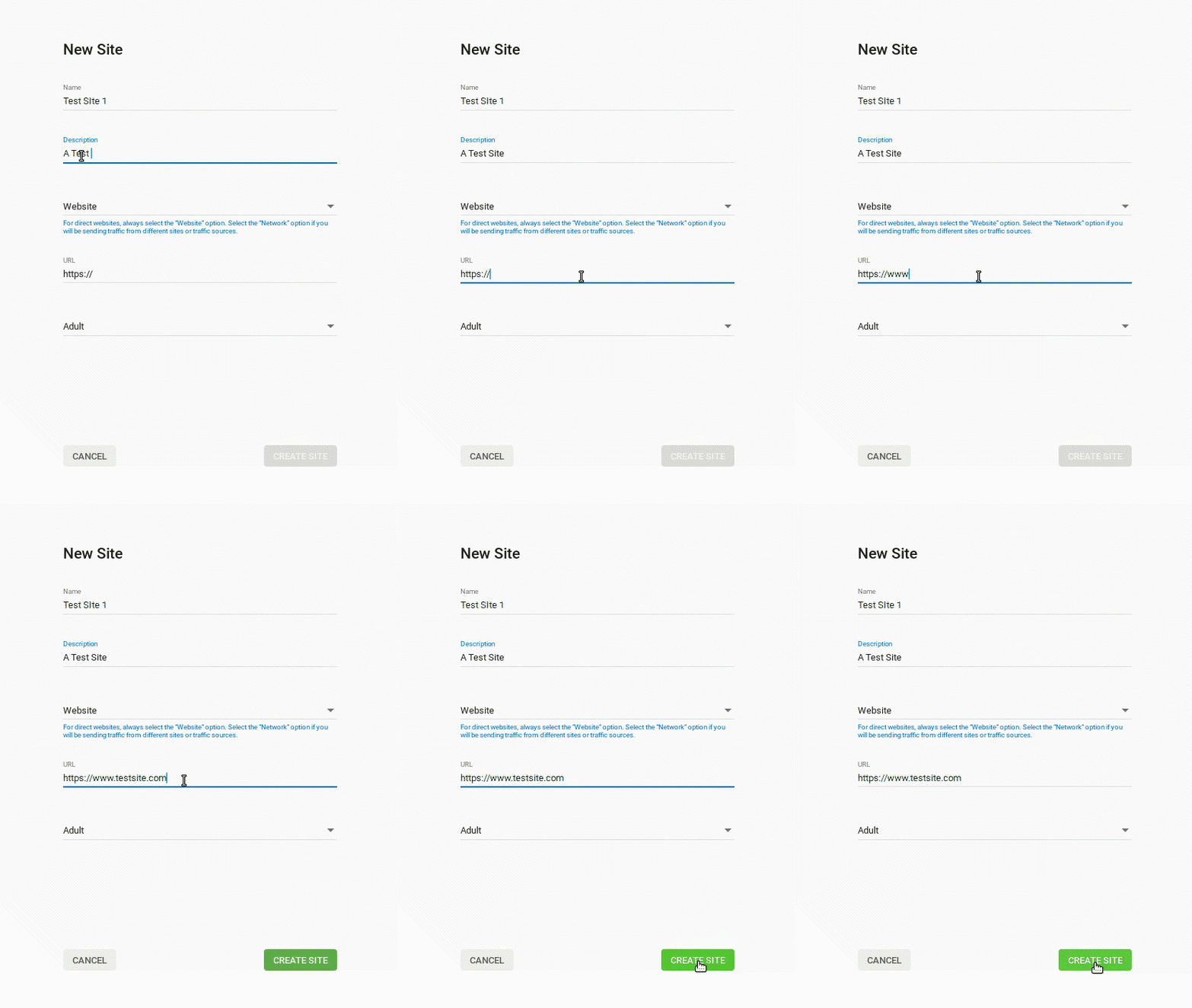
Name: Here you must add a site name which will allow you to recognize the site when checking the Statistics tab. e.g. "ABC.com- Mainstream" or "Site 1".
Description: Here you must add a brief description of the site being added. If the website qualifies for Premium status, this description is displayed to advertisers.
Type: Here you can set whether you are adding a Website or a Network. If the traffic is coming from multiple site sources, select Network, if it's a single site select Site. Choosing the wrong option may prevent you from receiving the correct advertising and could negatively impact the revenue potential.
URL: Add the website URL here, including the http(s):// at the start.
Main category: Ensure that the category selection matches the content of the submitted URL accurately. If you select the incorrect category, it may result in the site being rejected. This could happen, for example, if the website contains nudity and is set as a non-adult category.
When you have entered the details, click Create Site.
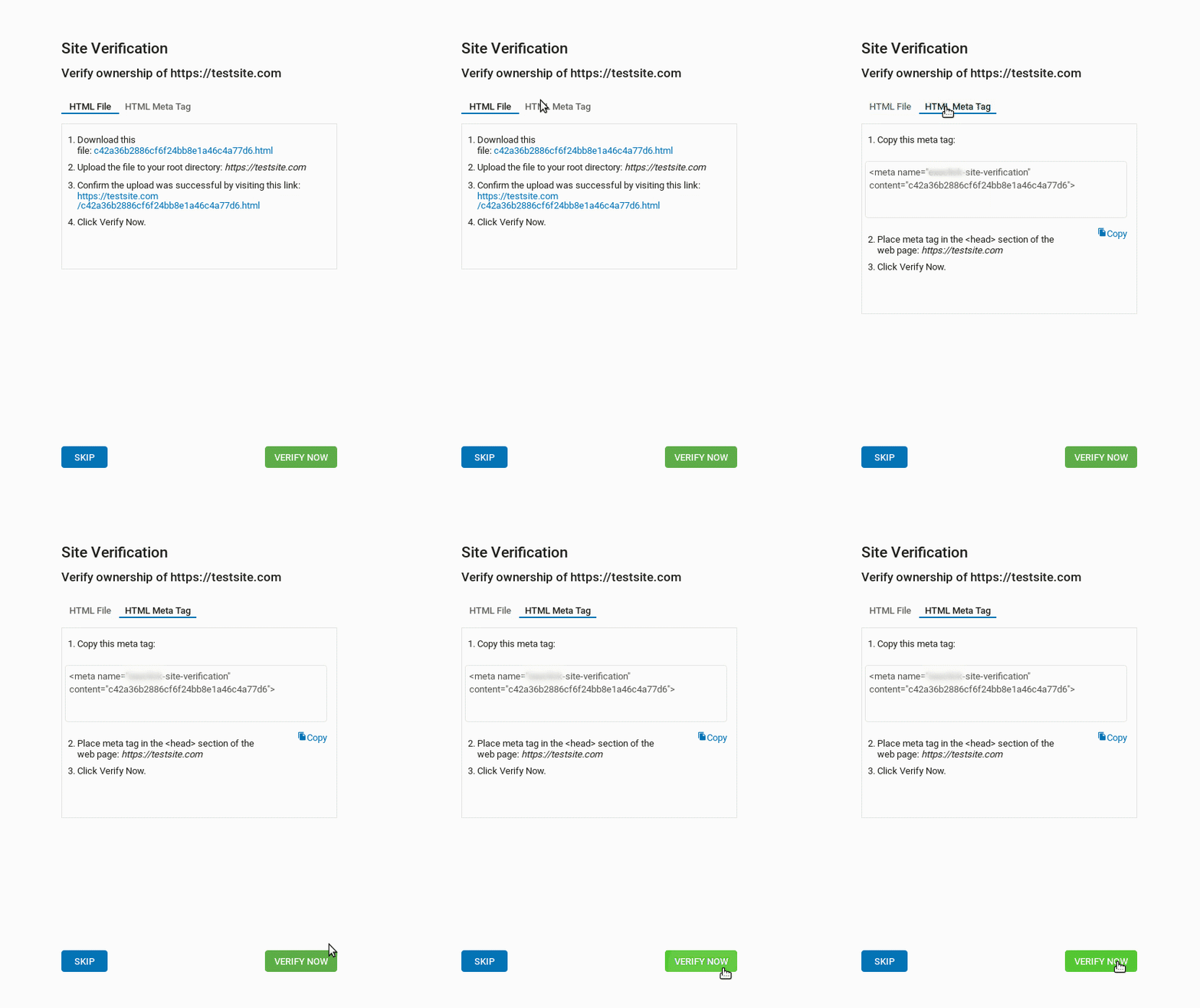
Site Validation
After clicking Create Site, if you set the type as Website, you will need to validate the ownership of the site in order to create ad zones. Follow the instructions on the pop-up that appears: